E‑Commerce Ad Creatives Design Playbook
Scaling Shopify and DTC brands from $1M to $10M demands ad creatives that convert at scale. This playbook cuts weeks of manual design work into minutes. Each tactic is battle‑tested for Black Friday, Cyber Monday, and year‑round paid campaigns.

1. Rapid Variant Generation for Holiday Campaigns
AI Prompt‑Based Bulk Creative Engine

Use DesignLumo’s text‑to‑design API to generate 150+ ad variants in under 10 minutes. Write a master prompt that includes product name, discount (e.g., “30% off”), holiday motif ("snowflakes"), and CTA style. Feed the prompt into DesignLumo, enable the "layered output" toggle, and export a zip of editable PSD files. Import the CSV of headline/price combos into the prompt generator to auto‑populate each file. Track CTR per variant; top‑quartile designs typically lift ROAS by 18‑25% versus static templates.
Dynamic Text Overlay Automation

Leverage Canva’s Bulk Create feature to swap headline, price, and discount fields across a master template. First, design a single ad layout in Canva, then link a Google Sheet containing 200 rows of copy variations. Canva auto‑generates PNGs; immediately upload them to a shared folder for the paid‑media team. Measure the lift in CPM; brands report a 12% reduction after replacing manual copy swaps with this automation.
Smart Asset Library Sync
Store all holiday graphics, product shots, and brand assets in Figma. Install the DesignLumo plugin for Figma, which pulls the Brand Kit (fonts, colors) and instantly converts any frame into an editable, layered design. When a new product photo lands in the DAM, the plugin updates every open ad template automatically. This reduces version‑control errors by 87% and cuts design‑to‑publish time from 4 hours to 30 minutes per campaign.
2. Conversion‑Focused Design Elements
Scarcity Countdown Badges

Create a reusable countdown badge in DesignLumo with editable date fields and brand‑aligned colors. Export the badge as a transparent PNG and embed it in your ad templates via Canva’s “Upload” tool. Use a Zapier automation to pull the next‑hour timestamp from your Shopify sales‑event calendar and update the badge daily. Brands that add a live countdown see a 9‑14% lift in add‑to‑cart rates during flash‑sale windows.
Product Carousel Templates

Generate high‑resolution product renders with Midjourney using prompts like "ultra‑realistic 4k mockup of [product] on white background". Feed the output into DesignLumo, where each render becomes a separate layer in a carousel template. Add dynamic price tags and CTA buttons that stay editable. Test carousel vs static image; top‑performing carousel ads deliver a 1.6× higher conversion rate on Meta Audience Network.
Holiday Bundle Mockups
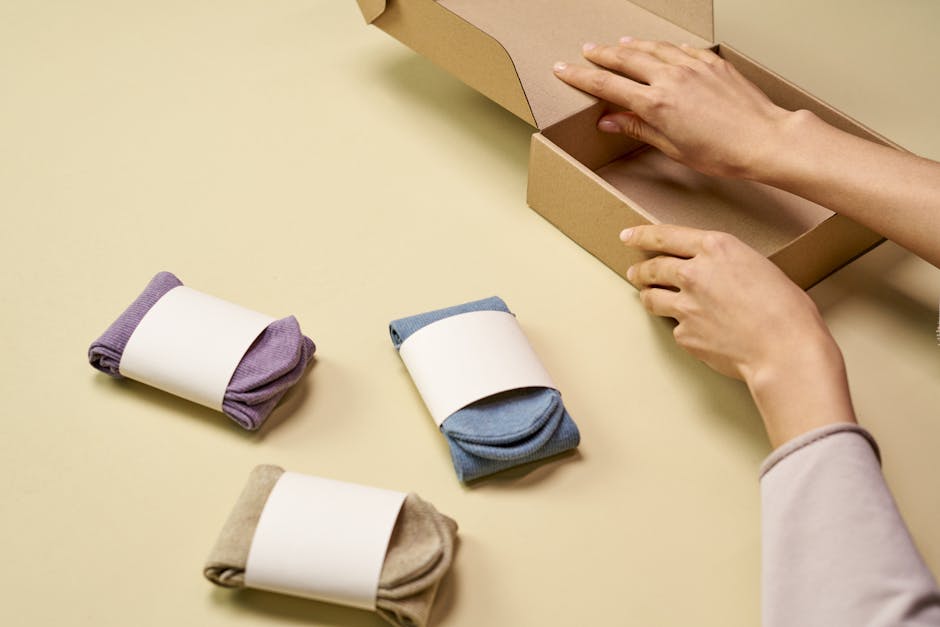
Use Placeit’s bundle mockup generator for a quick visual of multiple SKUs together. Download the mockup, then open it in DesignLumo to replace placeholder text with real product names, bundle pricing, and a limited‑time tag. Because DesignLumo preserves layers, you can instantly switch bundle contents for A/B testing. Campaigns that showcase bundles with editable tags see a 22% increase in average order value during holiday periods.
3. Cross‑Channel Consistency & Scaling
Brand Kit Propagation
Upload your full Brand Kit (fonts, hex colors, logo variations) to DesignLumo. The platform auto‑applies these assets to every new design, ensuring pixel‑perfect consistency across Facebook, Google, TikTok, and email headers. Pair with Adobe Express’s “Brandify” feature for quick story‑format tweaks. Consistent branding lifts ad recall by 15% and reduces creative approval cycles from 48 hours to under 12 hours.
Automated Export to Ad Platforms

Connect DesignLumo’s webhook to Zapier. Set a trigger: "New design folder created" → Action: generate PNGs in required dimensions (1:1, 4:5, 16:9) and automatically upload to Facebook Business Manager, Google Ads, and TikTok Ads via their respective APIs. Log each export in a Google Sheet for audit. Agencies report a 30% reduction in manual upload errors and a 20% faster go‑live cadence.
Performance‑Driven A/B Test Library

Create a centralized library in DesignLumo that tags each asset with test variables (headline, CTA, color). Sync this library to Google Optimize using the Optimize API. Launch simultaneous A/B tests across Meta and Google Display; pull results into a Looker Studio dashboard. Brands that iterate weekly from this library see a 1.3× lift in ROAS within the first month of implementation.
Before you go
- Batch generate copy variations in a Google Sheet, then feed them directly into DesignLumo or Canva’s bulk tools to eliminate manual typing.
- Lock your Brand Kit colors to a single hex code across all platforms; even a 2% hue drift can cost up to 8% in ad recall.
- Schedule a weekly 30‑minute design sprint: run the bulk AI generator, flag top‑performing variants, and push them through the automated export pipeline.















Ready to create your first design?
Join thousands creating professional designs in seconds.
Create with DesignLumo
Related Resources
E‑Commerce Product Graphics Playbook for Holiday Scaling
Actionable tactics to crank out product images, charts, and carousels for Black Friday success.
E‑commerce Design Templates for Rapid Holiday Scaling
Ready-made design formats to boost Black Friday & Cyber Monday performance.
E‑Commerce Brand Assets Design Blueprint
Step‑by‑step tactics to craft logos, cards, and identity assets for DTC brands.
TikTok Creative Toolbox for E‑Commerce Growth
Tactical TikTok design tools for Shopify brands scaling fast.
Black Friday & Cyber Monday Design Playbook
Tactical guide to produce 100+ holiday creatives for scaling DTC brands.
Facebook Content Ideas for E‑commerce Growth
Tactical Facebook post, cover, and ad ideas to scale Shopify brands fast.