Canva vs DesignLumo: Templates vs AI-Editable Designs
See how DesignLumo's AI-first, fully editable output compares to template-based workflows in speed and originality.
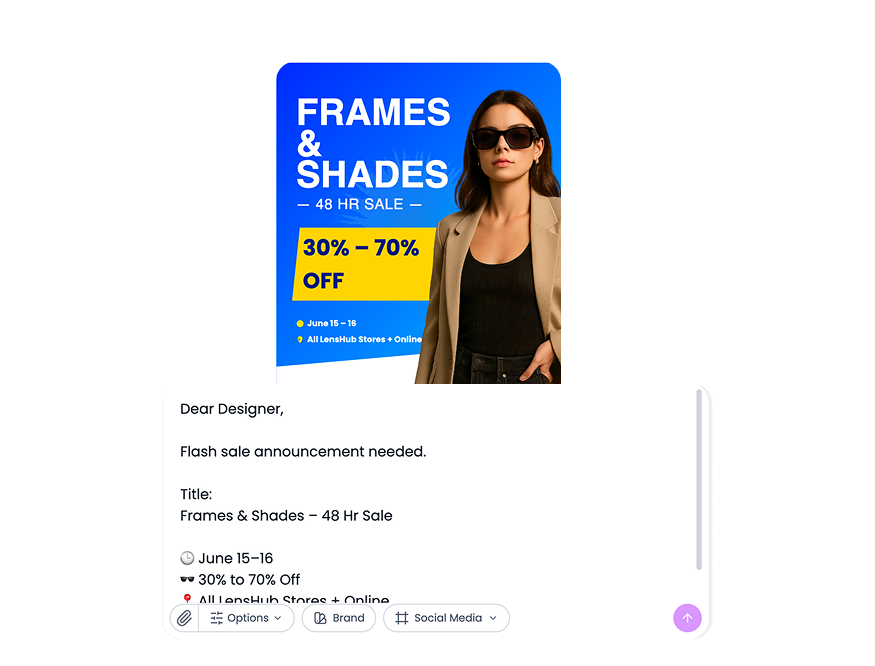
This is a workflow choice more than a feature choice. Canva helps when templates are enough. DesignLumo helps when your team needs generated-first speed with editable output.

Fast decision rule
- Stable formats and low variation -> Canva
- Frequent new campaigns and fast variants -> DesignLumo
- Mixed needs -> hybrid model
Simple hybrid setup
- Use generation for concept exploration
- Normalize winning structure with brand rules
- Store proven patterns for reuse
This keeps flexibility at the start and consistency at the finish.
Quick practical example
Example: founders used generation for launch campaigns and templates for recurring announcements to balance speed and control.
Mistakes to avoid
- No stage ownership
- Tool switching without process rules
- No asset-type split
Before you publish checklist
- Workflow split defined
- Owners assigned
- Review method fixed
Topics covered















Ready to create your first design?
Join thousands creating professional designs in seconds.
Related articles
DesignLumo vs Canva vs Midjourney: Which Is Best?
Short comparison of DesignLumo, Canva, and Midjourney for speed, editability, and campaign workflow.
How to Generate High-Performing Social Media Ads with AI
A practical guide to creating scroll-stopping social ads using DesignLumo's AI, with editable layers and brand consistency.
Canva vs DesignLumo 2025: Which Design Tool is Better?
Detailed comparison of Canva vs DesignLumo. Compare features, pricing, AI capabilities, and ease of use to choose the best design tool for your needs.